⛽ Vehicle Fuelings

Every Fueling Recorded — Full Fuel Cost Control Per Vehicle

Log every fueling with liters, cost, vehicle, driver and location. CargoTMS automatically calculates L/100 km consumption and flags suspicious fuelings.

100%
Fuelings logged
Automatic
Anomaly detection
L/100 km
Consumption calculated automatically
⛽ Vehicle Fuelings

Every Fueling Recorded — Full Fuel Cost Control Per Vehicle

Log every fueling with liters, cost, vehicle, driver and location. CargoTMS automatically calculates L/100 km consumption and flags suspicious fuelings.

Complete Fueling Journal

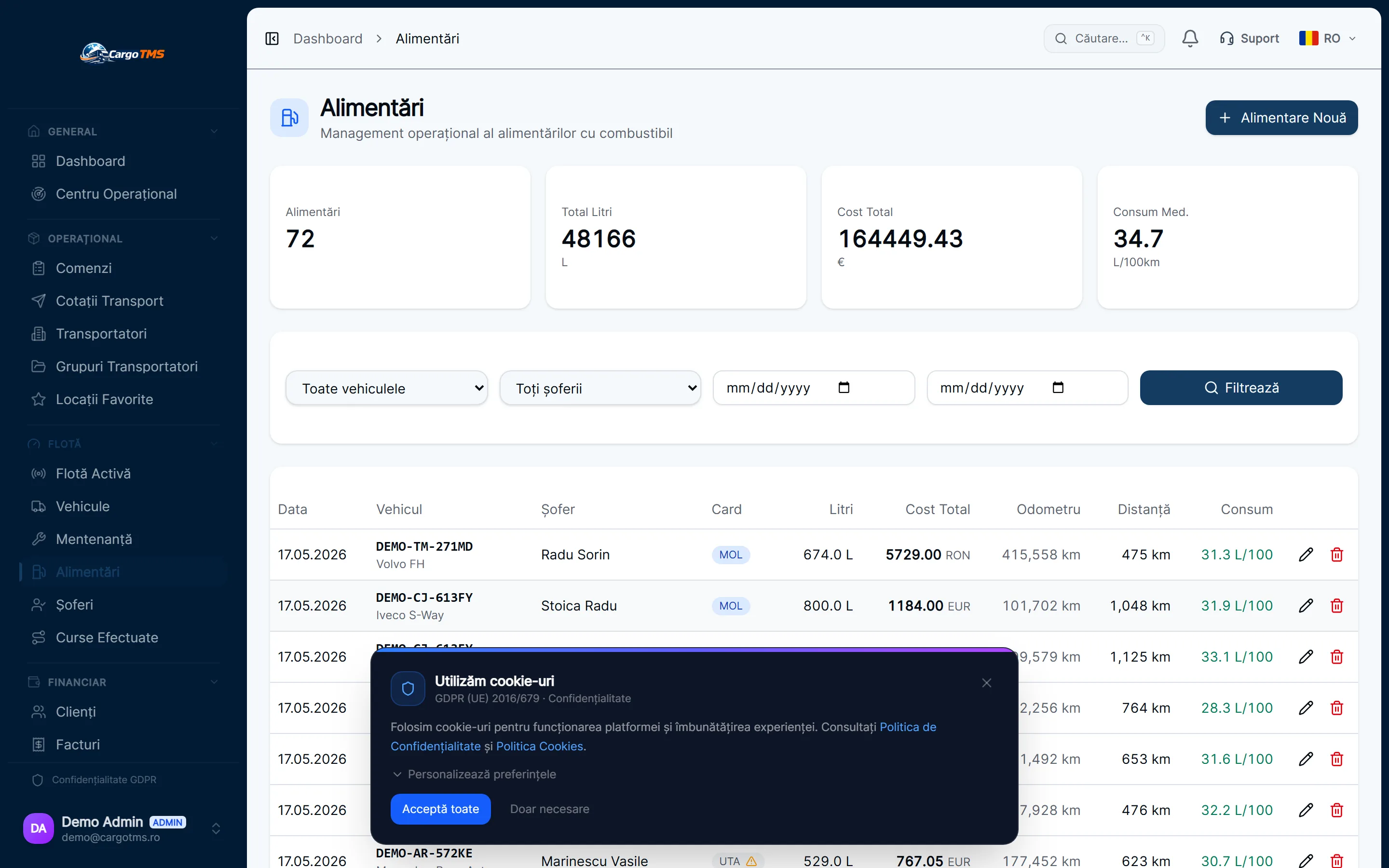
Every fueling is recorded with date, time, litres, total cost, station, vehicle and driver. The log is chronological, filterable by vehicle or period — no fueling slip gets lost.

Driver Self-Entry via Portal

Drivers log fuelings directly from their phone through the CargoTMS portal. Amount, litres and location entered in seconds — no lost receipt, no phone call required.

Automatic Anomaly Detection

Fuelings with unusually high consumption, unrealistic quantities and use of a deactivated card are flagged automatically for review.

Fuel Card on Every Fueling

Every fueling keeps the card used, from the cards assigned to the driver. You know exactly who fueled, with which card and for which vehicle.

L/100 km Consumption per Vehicle

From odometer readings, CargoTMS automatically calculates the distance since the previous fueling and real consumption. Spot trucks with high consumption compared to the rest of the fleet.

Filters and Totals

Filter the log by vehicle, driver, period and fuel type and see total liters and costs for the chosen selection.
How it works

Every Fueling Recorded — Full Fuel Cost Control Per Vehicle

01

Driver refuels the vehicle

At the fuel station, the driver opens the CargoTMS portal and enters litres filled, total cost and location. Takes under a minute.

02

Consumption calculated automatically

The system calculates consumption against the previous fueling and marks suspicious fuelings in the log for review.

03

Data reaches the office instantly

The fueling appears immediately in the fleet log, with vehicle, driver and card — no receipts sent to the office.

04

Reports available on demand

Managers access the fueling log filtered by vehicle, period or driver, with consumption and totals calculated automatically — no manual Excel sheets.

Click to enlarge

Vehicle Fuelings

CargoTMS — Vehicle fueling log with liters, cost, vehicle and consumption
Vehicle fuelings — complete log per truck with consumption and totals
CargoTMS — Vehicle fueling log with liters, cost, vehicle and consumption — detaliu
⛽ Vehicle Fuelings

Every Fueling Recorded — Full Fuel Cost Control Per Vehicle

Log every fueling with liters, cost, vehicle, driver and location. CargoTMS automatically calculates L/100 km consumption and flags suspicious fuelings.

🚀 Request Free Demo
FAQ

Frequently Asked Questions

How do drivers log fuelings in CargoTMS?
Through the driver portal, accessible from any smartphone. They enter litres filled, total cost, the station and the vehicle. The record syncs instantly — no physical receipts need to be sent to the office.
How does fueling anomaly detection work?
From the odometer, CargoTMS calculates L/100 km consumption against the previous fueling. Unusually high consumption, unrealistic quantities and use of a deactivated card are flagged automatically.
Are fuelings automatically linked to executed trips?
No. Fuelings are linked to the vehicle, driver and card. For cost per trip, fuel is added as an expense on that trip.
Can I see the real fuel cost per vehicle over a period?
Yes. The fueling log can be filtered by vehicle and period. CargoTMS shows total liters, total cost and L/100 km consumption per fueling.

See it in action

Request a free personalised demo. We'll walk you through the platform with your specific use case.

🚀 Request Free Demo 💳 View Pricing

No commitment · No card required · Response within 24h

Related Modules

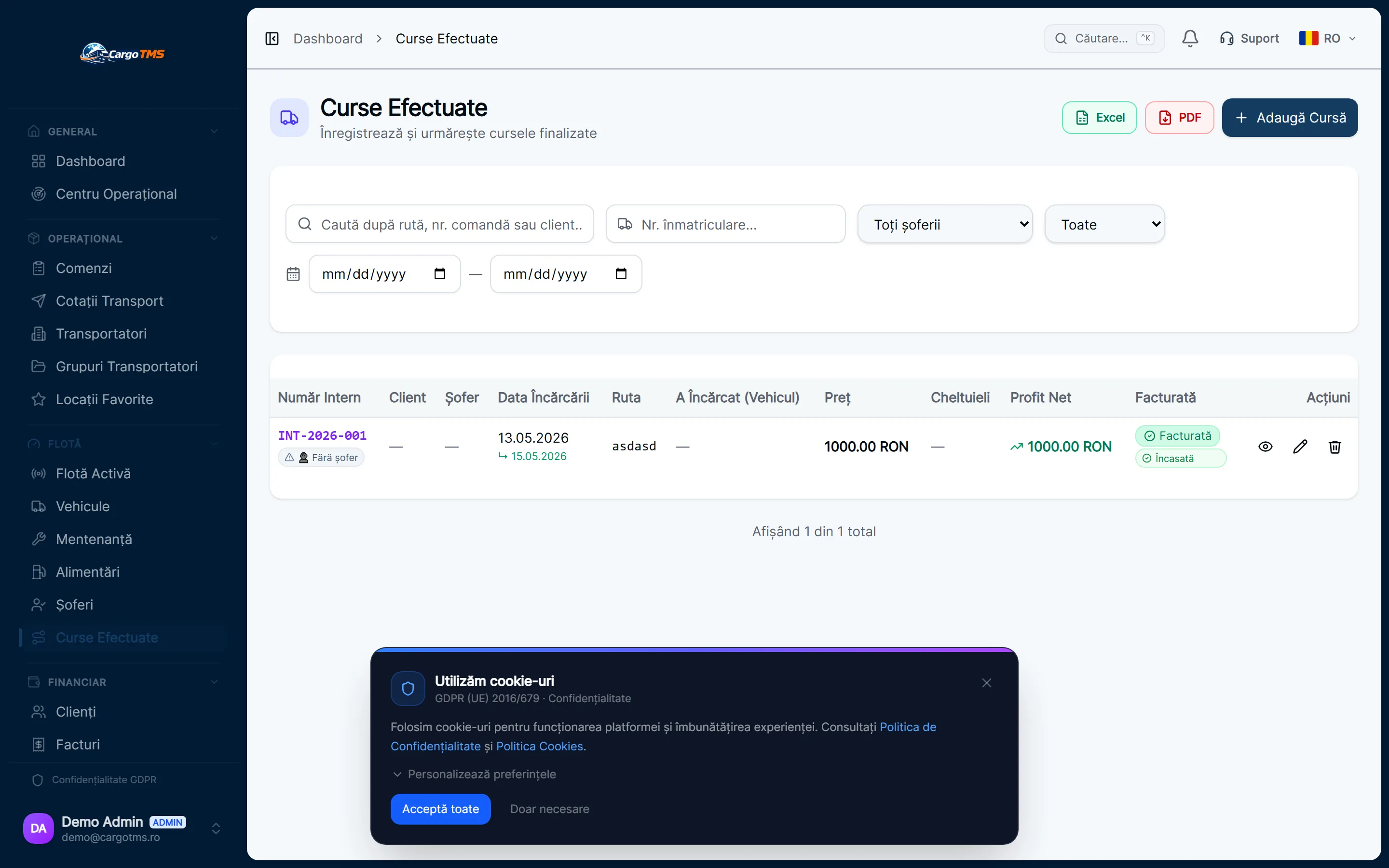
⛽ Fuel Management 💰 Fleet Cost Control ✅ Executed Trips